How to use Voice Analyst
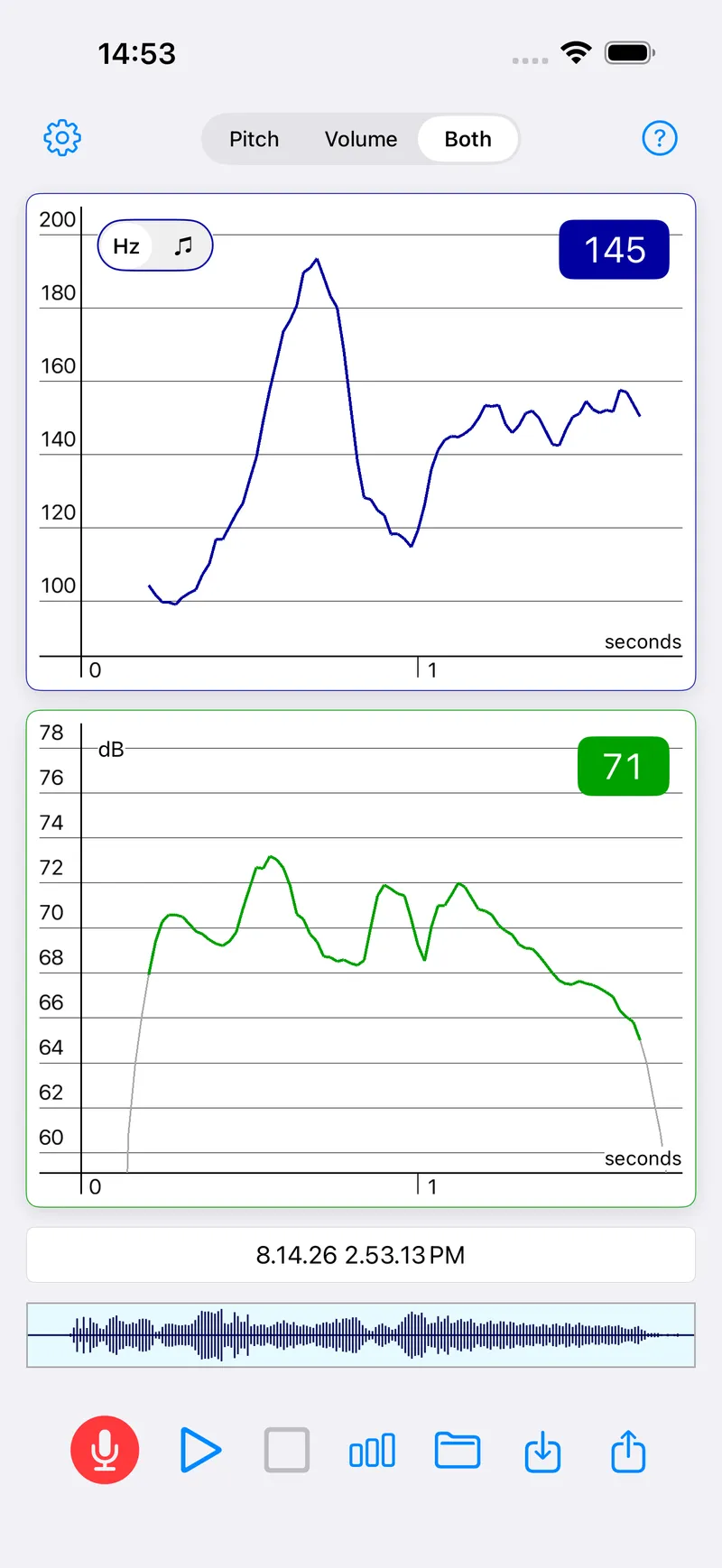
Tap the microphone and speak, and Voice Analyst draws your pitch in blue and your volume in green as you go. Tap stop, then play to hear it back or the chart button to see your range and average.
New to it? What Voice Analyst is, and who it is for.
How do I record and play back?
- Tap the red microphone and start speaking. Your pitch is drawn in blue and your volume in green as you speak.
- Tap the square stop button when you have finished.
- Tap play to hear the recording back. Turn your volume up, so you can hear your voice.
- Tap the bar-chart button for statistics: the minimum, maximum, range and average of your pitch and volume.
- Tap the folder to save the recording. It is named with the date and time unless you rename it.
Common questions
How do I analyse part of a recording?
Statistics cover the part of the recording on screen, so zoom in on a section to analyse it on its own. On iPhone, iPad and Mac, pinch to zoom, drag to move along the recording, and double-tap to see the whole of it again. Tap a point on the trace to play back from there rather than from the start.
How do I set pitch or volume targets?
Tap the gear to open Settings, find Pitch Targets or Volume Targets, and enter a minimum, a maximum or both, in hertz for pitch and decibels for volume. The targets are drawn as lines on the trace, so you can see while you speak whether you are staying inside the band.
How do I save, rename or delete a recording?
Tap the folder, then Save. A new recording is named with the date and time, and you can type a name of your own before you save it. The same screen is where you rename, delete and organise recordings into folders.
How do I send a recording to my therapist?
Tap the share button, the square with an arrow, and choose how to send it: your email app, a messaging app, or a cloud service such as iCloud Drive, Dropbox, OneDrive or Google Drive, if it is set up on your device. If email is not offered, an email account needs to be set up on the device first.
How do I open a recording from the cloud or another app?
Tap the import button, beside the folder, and choose the recording from wherever it is stored, including any cloud service set up on your device. It then opens in Voice Analyst like one of your own, ready to play back and analyse.
Why are there gaps in my pitch trace?
Not every speech sound has a pitch. Voiced sounds such as a long “eee” do, but popping sounds such as p and t, and hissing sounds such as s and sh, do not, so the pitch trace breaks over them. A gap means there was no pitch to measure, not that something went wrong.
Why is the volume trace grey and green?
Volume is a measure of sound pressure, so there is always a reading, even in a quiet room. The background is drawn in grey and your voice in green, and the volume statistics count only the green, so the noise of the room does not skew them.
What if my question is not answered here?
Email support@speechtools.co and one of the two people who build these apps will answer.